
Clean Out Your Inbox: My 7 Step Program to Email Success
As an Amazon Associate I earn from qualifying purchases. For more details, please see our disclosure policy.

Want to save this post?
Enter your email below and get it sent straight to your inbox. Plus, I'll send you time- and money-saving tips every week!
photo source
Want to save this post?
Enter your email below and get it sent straight to your inbox. Plus, I'll send you time- and money-saving tips every week!
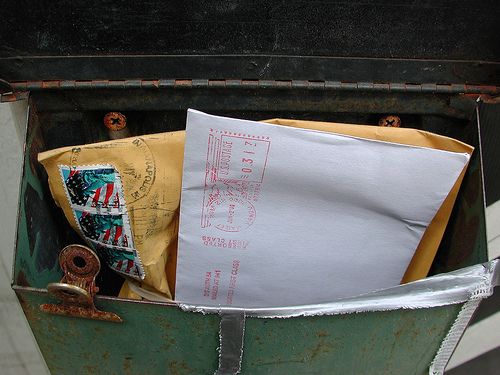
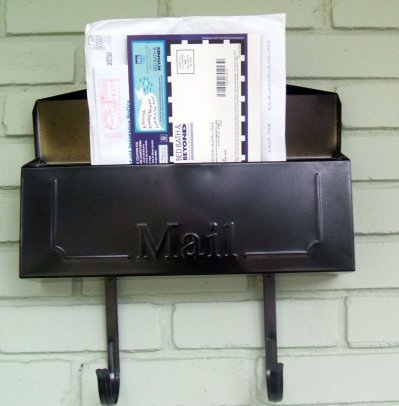
Imagine going to your mailbox and finding it stuffed full of letters, magazines, advertisements, junk mail, bills, and a few checks. But the box is so crammed full, it’s really hard to see what’s in there or to make sense of the contents.
Now imagine trying to find the important things, like the bills and the checks. But, try to do it while fingering through all the other junk that is in the box. Try to do it without emptying the box.
Do you think you’ll find what you’re looking for? You might. But, some vital bits of information might get stuck, lost in between the pages of Organizing Woman and next week’s sale ad for Shoe Extravaganza.
The same is true for your email inbox.
You can’t possibly be able to find the important stuff when you have 1035 emails in your inbox.
Ask me how I know. A year ago, my inbox was an atrocity. The mail count was certainly in the 1000s.
In fact, when a friend came to visit me and peeked over my shoulder into my email file, she gasped or chuckled or rolled on the floor laughing. I can’t really remember. I’ve blocked it out.
She shared with me that one of the things that kept her organized and productive was to clean out her inbox. I was more than a little skeptical. But, I missed bills, I missed important emails, I missed deadlines, I missed posts that others had written for me — all because I didn’t deal well with my email.
 photo source
My 7 Step Program to Email Success
I think you can do it! If I can, you can.
1. Open a Gmail account — and use it.
I first heard about Gmail from Simple Mom. That was in October of 2008. I opened an account about a month later, but it took me over a year to get used to using it. OK, it took me a year to even attempt to use it. I was just too overwhelmed by the mess that I had in three different email accounts, that I just couldn’t stomach the idea of trying to manipulate a fourth.
But, about this time last year, I started using my Gmail account and it was revolutionary.
2. Forward your old address(es) to your Gmail account.
One of the best ways to handle a mess is to take everything out and start with a clean slate. Well, your clean slate will be your new Gmail account. Only put in there the things that you know you will use, like your address book and incoming mail.
Move your contacts over to your Gmail and forward your old address. Start good habits in your new inbox.
photo source: eddiedangerous

3. Unsubscribe from unwanted newsletters, feeds, updates, and alerts.
Seriously. Stop the onslaught of junk that is marching into your inbox. You can do this as they come to your new box or just go through your old box unsubscribing to mail that is not useful to you.
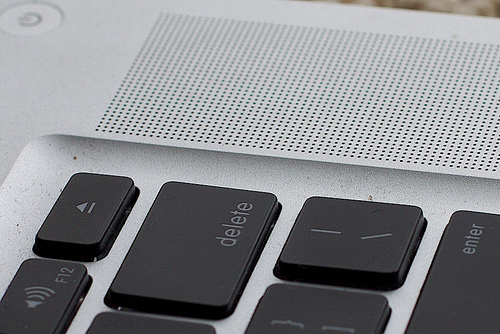
How do you know it’s not useful? If it’s unread, it’s probably not useful. So systematically, go through and click the unsubscribe button. If it’s from someone you know in real life but don’t care to communicate with, remember that delete is your friend.
4. Budget time for email.
Obviously, you’re not going to clean up 100s of email in one afternoon. Just like the garage that needs to be dejunked or the attic that needs to be cleaned out, take it in spurts. Set a time limit and spend that amount of time each day working on organizing, deleting, and unsubscribing.
Keep this time budget as you continue on in life. I personally allow myself 30 minutes a day of concentrated time to deal with my email. I might delete unnecessary messages throughout the day, but unless it’s urgent or super convenient, I try not to mess with an answer until I have time to devote to it.
 photo source
5. Read, deal, and delete.
If you’re going to take the time to read your email, then really deal with it. Answer the letter, file the note in Gmail folders for later reference, mark your calendar with the date of the appointment, pay the bill. Touch it once and move on.
6. Keep your inbox under one page worth.
My Gmail account displays 50 email at one time. I try to keep it under this number. During my “email answering time,” that is my goal. Some days I don’t hit it, but at least once a week, I’ve got it under that number.
I know some people advise against leaving to-dos in your inbox. This works for me as long as I limit the number of to-do’s I leave there. You need to find what works for you. Blogging with Amy offers some great advice for managing your email.
7. Keep at it.
Don’t give up! You will be shocked and amazed at how freeing it is to go to an inbox where you can see everything at a glance. You wouldn’t leave your physical mailbox chock full of junk, would you?
Take care of your inbox and you will be more productive and happier in your “life as MOM.”
This week on LifeasMOM is all about Loving Life — finding ways to help each of us enjoy life a little more. And of course, email management is one of those ways that you can make the most of your minutes. Find out the other ways you can love your life a little more.





Just wanted to say thank you. I got the Coaches Oats in the mail yesterday. Excited about trying them. Tomorrow it will be 19 here in TX so I think it will be a great day for oatmeal.”)
I do all of these things:-)
Thanks Jess! This is so timely for me! Last month I finally started this on my own. I actually did go through everything and delete almost everything (but I was only in the 300 – 400 range!) and then I started unsubscribing by the truckfull! I too decided to keep under 50 in my inbox at all times! It’s been so freeing! On some days I have only 10 or so e-mails to check all day long!
I would delet my e-mail address, but it’s the same address I’ve had since I was 15 (14 years ago!) and somethings just seem so inbedded in your head and in all of the passwords I’ve set up! I’d have to redo a lot to delete it. Besides, me and my spam folder have finally been getting along quite well now!
I’m a bit of a clutter-bug in my email box…But lately I’ve discovered the “sweep” feature. It is wonderful for deleting bunches from one sender at once.
Also, I do make little notes of interest & links and tuck them in drafts for when I have time, and I do actually remember to go back to them. It works for me. : )
These are some wonderful tips. I used to use my email inbox as a to do list, like Mandi mentioned, but that didn’t work for me personally. The reason was that the most important item did not appear at the top, but instead just the newest item which might have been something to do, but not a priority.
Making folders and moving things to them, and yes, deleting, have really helped me, but I confess I need to consolidate my emails into one place. I’ve been putting off going to gmail for years, who knows why. Perhaps I’ll bite the bullet soon!
@Taylor at Household Management 101, bite that bullet!
Also, the inbox/to-do list…. since I keep it to one page, I can see everything and then they don’t get lost. That”s how I make it work for me.
Jessica —
Thanks for the fantastic tips. One of the most life changing books I have read is Getting Things Done by David Allen. It has changed how I work and has helped me keep my email box empty on a daily basis.
I soooo needed this post as I am one of the people with over 1000 unread e-mails in my box. I have a Yahoo account now. Everyone seems to recommend gmail. What is the advantage over Yahoo? Thanks!
@Melissa, I don’t have yahoo, but I do have sbcglobal accounts which I think are similar…. first there’s a lot less ads and obnoxious chat messages from spammers. That alone was worth the switch. But, then there are so many filing and archiving options, canned responses, filters, a lot of functions that I didn’t have with my sbc/yahoo accounts.
I explain a little more here: http://lifeasmom.com/2010/08/three-email-tools-to-help-my-life-as-mom.html
I’ve been doing lots of what you mentioned…keeping it to one page, unsubscribing…it’s great! My problem is to keep myself from checking my inbox multiple times a day. I really need to just set certain times that I “allow” myself to view it.
Thanks for another great article!!!
@Katie, I’m guilty of that, too. Having a smart phone and checking my email that way prevents me from the time suck that sitting at the computer can do to me.
I like the idea of scheduling time to review my email box. I am learning if I do a little bit a day of whatever task, it’s not so overwhelming. I am still working on “unsubscribing” though.
Great tips, Jessica! I use my inbox as a to-do list, and it works really well for me because 1. I can’t ignore the things that need to be done and 2. I like to try to keep it as clear as possible, which means I’m more likely to “just do it” than procrastinate.
I do, however, use “multiple inboxes” by having my various email addresses filtered to specific folders (i.e. XYZ inbox, ABC inbox). This allows me to batch process tasks and keeps me from waking up to 123 emails in my main inbox each morning, which could be a little overwhelming.
@Mandi @ Life Your Way, oh. I’m so glad I’m not the only one. Except you know me and filing…. LOL. Once it’s filed I don’t think about it again. So, keeping my to dos in my inbox are reminders in my face. 😉