
Clean Out Your Inbox: My 7 Step Program to Email Success
As an Amazon Associate I earn from qualifying purchases. For more details, please see our disclosure policy.

Want to save this post?
Enter your email below and get it sent straight to your inbox. Plus, I'll send you time- and money-saving tips every week!
photo source
Want to save this post?
Enter your email below and get it sent straight to your inbox. Plus, I'll send you time- and money-saving tips every week!
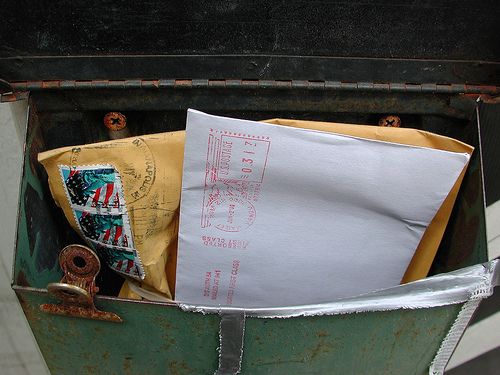
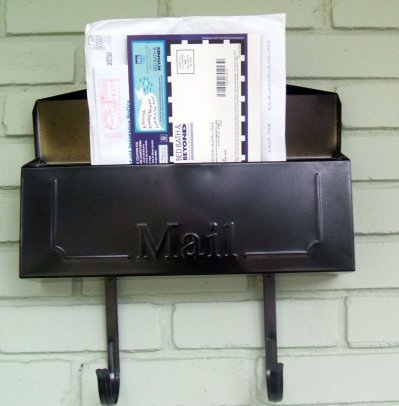
Imagine going to your mailbox and finding it stuffed full of letters, magazines, advertisements, junk mail, bills, and a few checks. But the box is so crammed full, it’s really hard to see what’s in there or to make sense of the contents.
Now imagine trying to find the important things, like the bills and the checks. But, try to do it while fingering through all the other junk that is in the box. Try to do it without emptying the box.
Do you think you’ll find what you’re looking for? You might. But, some vital bits of information might get stuck, lost in between the pages of Organizing Woman and next week’s sale ad for Shoe Extravaganza.
The same is true for your email inbox.
You can’t possibly be able to find the important stuff when you have 1035 emails in your inbox.
Ask me how I know. A year ago, my inbox was an atrocity. The mail count was certainly in the 1000s.
In fact, when a friend came to visit me and peeked over my shoulder into my email file, she gasped or chuckled or rolled on the floor laughing. I can’t really remember. I’ve blocked it out.
She shared with me that one of the things that kept her organized and productive was to clean out her inbox. I was more than a little skeptical. But, I missed bills, I missed important emails, I missed deadlines, I missed posts that others had written for me — all because I didn’t deal well with my email.
 photo source
My 7 Step Program to Email Success
I think you can do it! If I can, you can.
1. Open a Gmail account — and use it.
I first heard about Gmail from Simple Mom. That was in October of 2008. I opened an account about a month later, but it took me over a year to get used to using it. OK, it took me a year to even attempt to use it. I was just too overwhelmed by the mess that I had in three different email accounts, that I just couldn’t stomach the idea of trying to manipulate a fourth.
But, about this time last year, I started using my Gmail account and it was revolutionary.
2. Forward your old address(es) to your Gmail account.
One of the best ways to handle a mess is to take everything out and start with a clean slate. Well, your clean slate will be your new Gmail account. Only put in there the things that you know you will use, like your address book and incoming mail.
Move your contacts over to your Gmail and forward your old address. Start good habits in your new inbox.
photo source: eddiedangerous

3. Unsubscribe from unwanted newsletters, feeds, updates, and alerts.
Seriously. Stop the onslaught of junk that is marching into your inbox. You can do this as they come to your new box or just go through your old box unsubscribing to mail that is not useful to you.
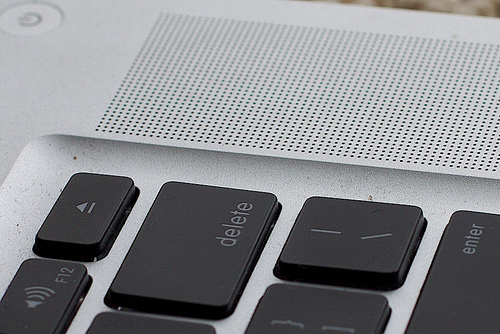
How do you know it’s not useful? If it’s unread, it’s probably not useful. So systematically, go through and click the unsubscribe button. If it’s from someone you know in real life but don’t care to communicate with, remember that delete is your friend.
4. Budget time for email.
Obviously, you’re not going to clean up 100s of email in one afternoon. Just like the garage that needs to be dejunked or the attic that needs to be cleaned out, take it in spurts. Set a time limit and spend that amount of time each day working on organizing, deleting, and unsubscribing.
Keep this time budget as you continue on in life. I personally allow myself 30 minutes a day of concentrated time to deal with my email. I might delete unnecessary messages throughout the day, but unless it’s urgent or super convenient, I try not to mess with an answer until I have time to devote to it.
 photo source
5. Read, deal, and delete.
If you’re going to take the time to read your email, then really deal with it. Answer the letter, file the note in Gmail folders for later reference, mark your calendar with the date of the appointment, pay the bill. Touch it once and move on.
6. Keep your inbox under one page worth.
My Gmail account displays 50 email at one time. I try to keep it under this number. During my “email answering time,” that is my goal. Some days I don’t hit it, but at least once a week, I’ve got it under that number.
I know some people advise against leaving to-dos in your inbox. This works for me as long as I limit the number of to-do’s I leave there. You need to find what works for you. Blogging with Amy offers some great advice for managing your email.
7. Keep at it.
Don’t give up! You will be shocked and amazed at how freeing it is to go to an inbox where you can see everything at a glance. You wouldn’t leave your physical mailbox chock full of junk, would you?
Take care of your inbox and you will be more productive and happier in your “life as MOM.”
This week on LifeasMOM is all about Loving Life — finding ways to help each of us enjoy life a little more. And of course, email management is one of those ways that you can make the most of your minutes. Find out the other ways you can love your life a little more.


I’ve only recently begun to use the “keep it to one page” rule and it is LIFE-CHANGING. I had to go through and archive thousands (not kidding) of emails first, but I am living on the one page now and IT IS AWESOME.
That’s probably my favorite feature of Gmail – the amazing archive system and it’s incredibly intuitive “search” feature.
I need to do this. I recently unsubbed from a lot of stuff, but I need to hit the delete button a few times!
Bernice
Is multitasking the key to productivity?
Yep, this is me!!!!
631 unread emails in my Gmail inbox and over 1000 in my bellsouth account!!! (Yep I have two email accounts that are out of control!)
I just learned that you can Archive emails in your Gmail box and easily retrieve them down the road.
I really want to follow your steps and start reducing the number of emails!!!! It is an overwhelming and time consuming project!
I soo needed this article thanks so much
Filters. They saved my life. I either keep it unread and in the inbox, moved out of the inbox and unread. So shipping invoices fromamaxonautomatocally go away!
I’m in the process of working on this (it’s a long-term process, as you mention). I have a few folders I can’t delete, even though they’re no longer actively relevant to my life, until I go through and record some of that historic data — e.g., I did this for this — for record-keeping I’ll need for other things. Right now I’m doing a gmail account and an aol account — as Lynette said, I’ve had it so long, it seems like such a pain to change it. I try to keep my “to-do” emails in my inbox to about 25 — that’s what seems to work for me.
Hmmm, you make is sound easy! I have over 7,000 unread messages… it was not good when hotmail gave me more storage space! I have a gmail acct I don’t use, maybe I will attempt this 🙂
This was timely…5912 unread emails and “nearing quota” messages daily. I’ve been deleting 50-100 daily, but I think I’ll scrap that idea all together and set up a gmail account. Thanks!
Please Jessica, consider having a tutorial for using the “tricks” with Gmail. Not being real putor literate, I know I am missing a lot of the tools available to me. I cant afford the smart phone but am sure many could pare down with some help. Thank you for your consideration.
I will see what I can do. But, I’m still learning!
Alright, don’t judge me.
This morning, I was the girl with 15,000 unread messages in her personal email inbox. Yep, you read that right…15,000.
It never really bothered me. The unread emails were mostly facebook alerts and newsletters from various organizations. I could always find what I needed with the “search button” and never felt overwhelmed. Plus, I truly don’t accidentally “miss” emails.
BUT…it freaks my husband out. So, I did it. I unsubscribed to a ton of newsletters. And then…I archived my entire inbox. All 15,000! My inbox is now empty. And I will have a very happy hubby tonight!
I. am. so. proud. of. you. 🙂